Public beta · open source · MIT
Database schemas,
both ways.
Convert between DBML, PostgreSQL, MySQL, SQLite, Prisma and a live ERD. Every conversion comes with a fidelity report that shows what made it across and what didn't.
No upload: conversion runs in your browser on a WebAssembly build of the core.
loading the core…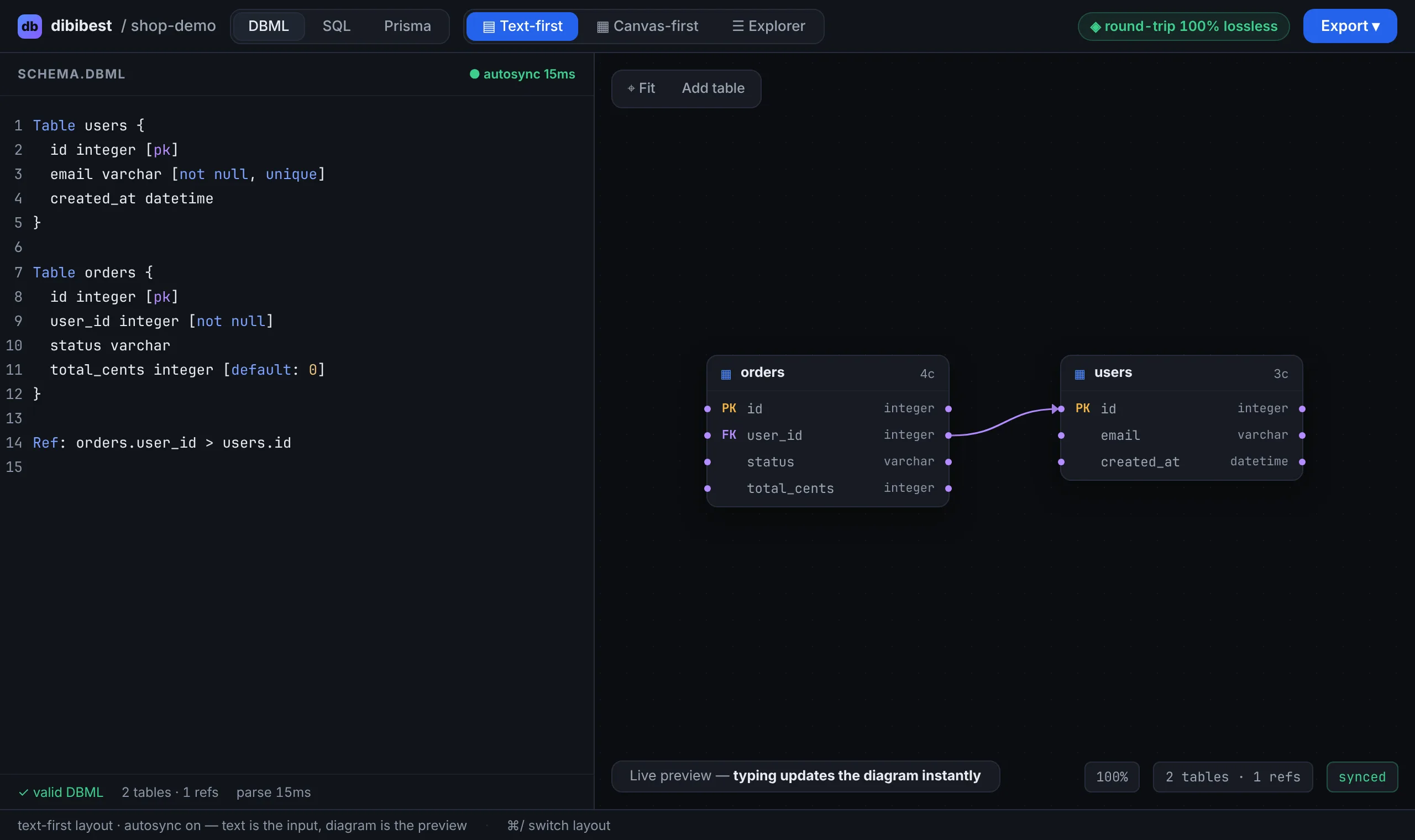
Fidelity report
Every conversion comes with a receipt.
Most converters quietly drop partial indexes, enums, cascades and notes. dibibest counts them every time, so you know before you ship the migration.
- Kept / total per category. Totals are counted from the source text, so anything the parser misses still shows up.
- Matched by content. A reversed ref or a missing
ON DELETE CASCADEdoes not count as kept. - Dropped, by name. Anything the target format can't express is listed by name.
- Round-trip tested.
parse(emit(parse(src))) == parse(src)is checked on every conversion and in CI.
users_lower_email (expression index, no MySQL equivalent)Formats
One internal model. Six formats, read and write.
dbdiagram.io syntax: tables, refs, enums, indexes, notes
CREATE TABLE / INDEX / TYPE … AS ENUM, FK actions
backtick quoting, AUTO_INCREMENT
AUTOINCREMENT, partial and expression indexes
models, @id, @unique, @default, @relation, enums
the canvas format, with table positions
Design-first like dbdiagram, reverse-first from your SQL, or start from Prisma. Switch between text-first, canvas-first and explorer layouts without losing anything.
Privacy
Your schemas stay on your device.
Projects autosave to IndexedDB, the database built into your browser. They live on your device and never leave it. We run no database and keep no copies.
- Editing is free and needs no account: type, convert, inspect the diagram and the fidelity report.
- Import, copy and download ask you to sign in with CodeCora ID (Google). That's how we count who uses dibibest.
- Want a backup or another device? Download your project. Clearing site data removes local projects.
For AI agents
An MCP server your agent can call.
convert_schema and list_formats return the converted text along with the
fidelity report, so an agent can see what got lost. Run it locally with no auth, or use the hosted
endpoint with OAuth sign-in (no API keys).
{
  "mcpServers": {
    "dibibest": { "url": "https://dibibest.codecora.dev/mcp" }
  }
}